Revit Family Manager

So, I looked for something that already solved this. What I found was a real gap:
- The existing "Family Manager" add-in on the Autodesk App Store is genuinely useful — but it's an add-in, which means it simply does not work at all on Revit LT. That's not a small limitation; Revit LT doesn't support third-party add-ins, period, by Autodesk's own deliberate design. For solo architects and small firms — exactly who tends to run LT for its lower cost — that rules out an entire category of tools before you even get started.
- Bigger platforms like Kinship solve content management well, but they're cloud-based, team-priced, and built for firms with BIM managers and IT departments provisioning licenses — not something a solo architect or small practice casually picks up.
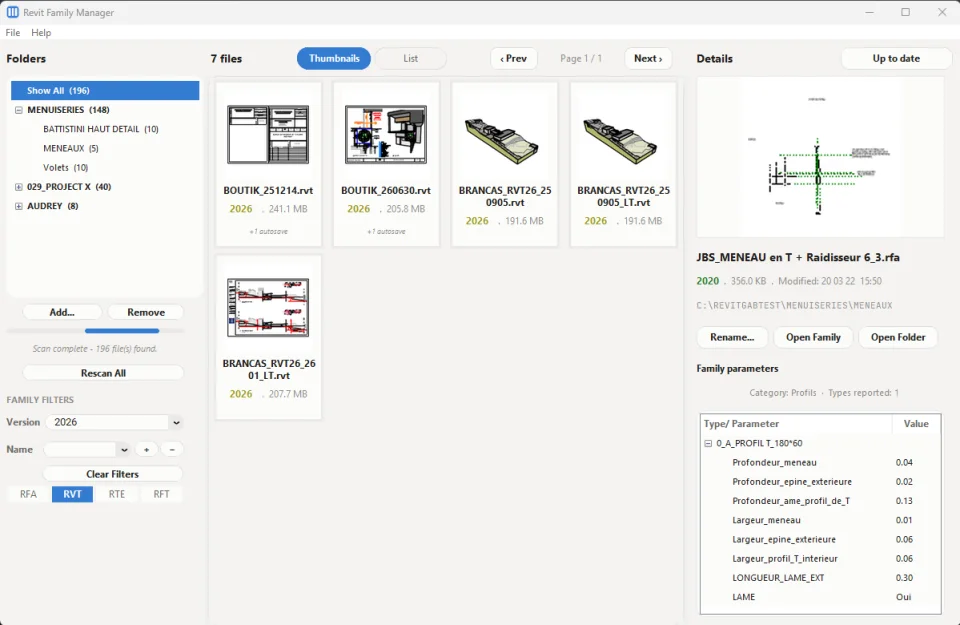
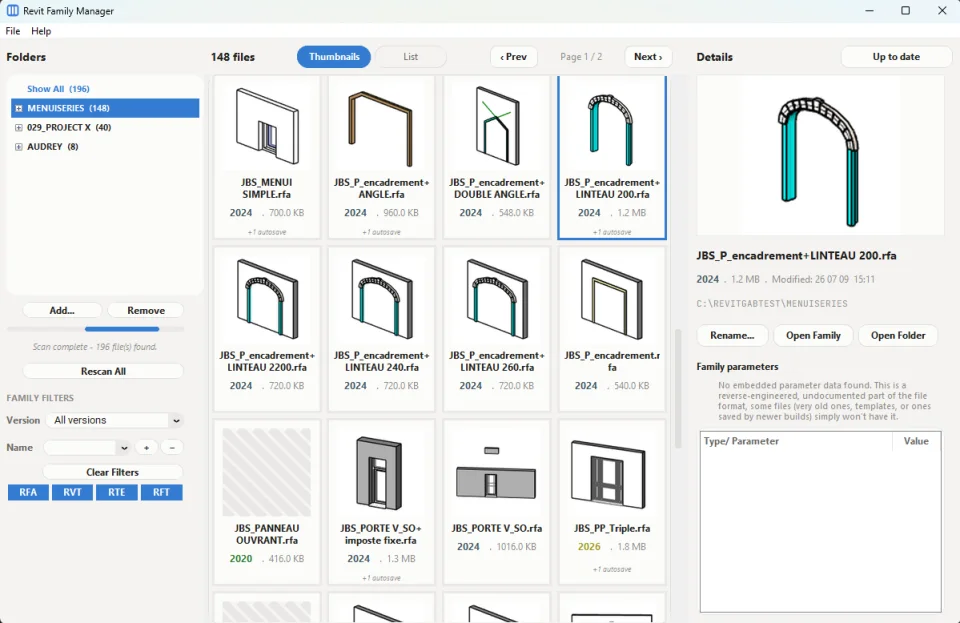
So, I built something to sit in that gap: a free, standalone desktop app that works regardless of which Revit tier you're on, with no cloud dependency, no add-in restrictions, and no cost. It shows you your families, projects, and templates as visual thumbnails, tells you the Revit version at a glance, lets you inspect parameters without opening Revit, and keeps your library organized — all locally, on your own machine.
It's built by someone who actually deals with this problem daily, not a generic dev tool retrofitted for architects. It's still actively evolving based on real feedback from other architects testing it — which is exactly why I'm sharing it now.
- Since APP_VERSION = "1.2.0" was published:
- Refreshed visual design throughout the app — new color palette, consistent rounded styling
- Thumbnails/List toggle now matches the same visual style as the file-type filter buttons, both with proper hover feedback
- Auto-hiding scrollbars for a cleaner look when not actively scrolling
- Smoother card updates when browsing — less flicker switching between families
- Slightly denser card grid (more visible at once without scrolling)
Revit Family Manager is a lightweight, standalone desktop tool for browsing and organizing large Revit content libraries — built for anyone managing hundreds or thousands of .rfa, .rvt, .rte, and .rft files across scattered folders.
Point it at your family library and it gives you:
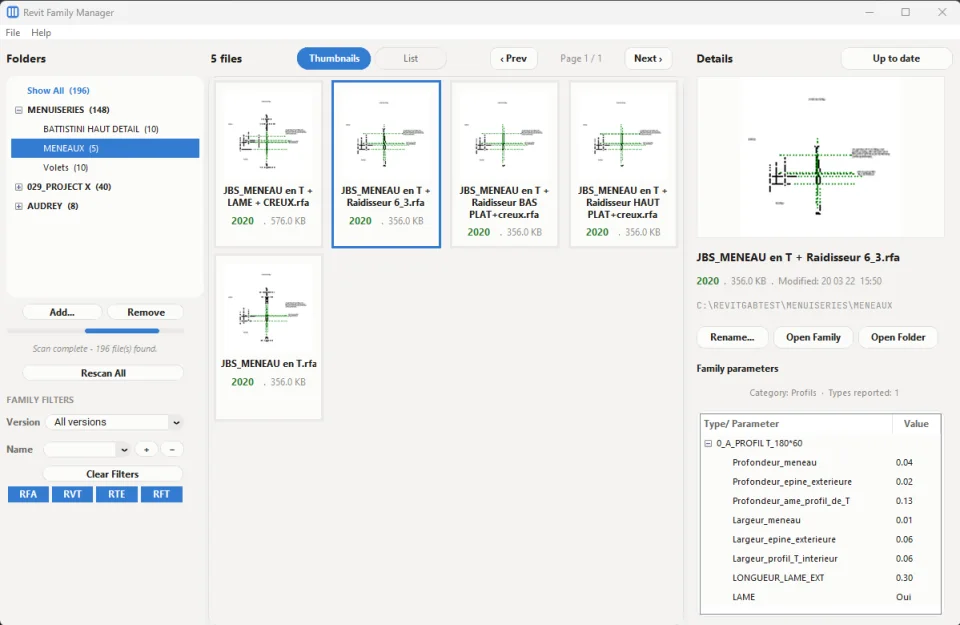
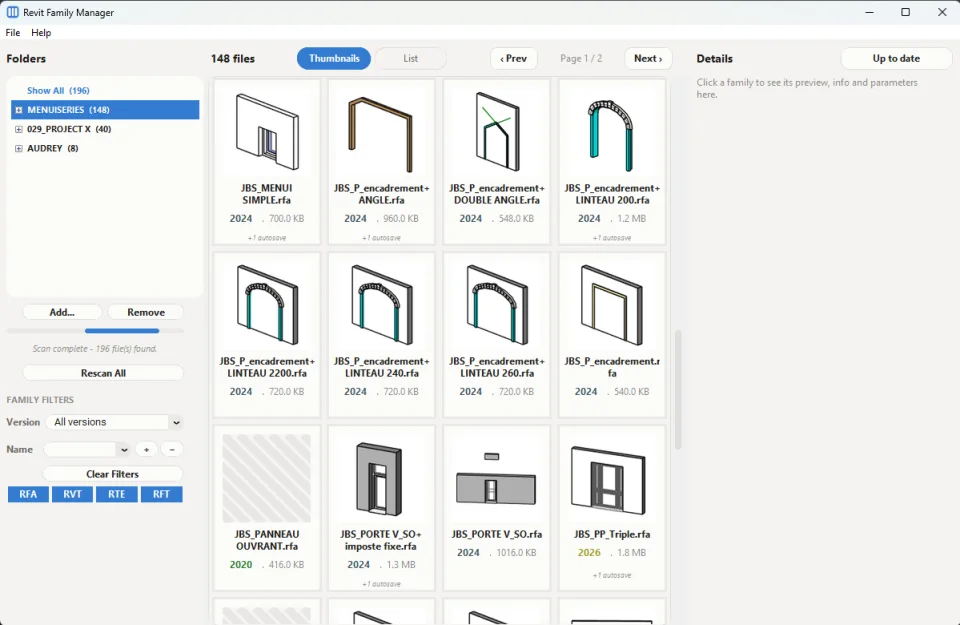
- Instant visual browsing — thumbnail grid or compact list view, your choice
- Automatic Revit version detection, color-coded so you can spot outdated files immediately
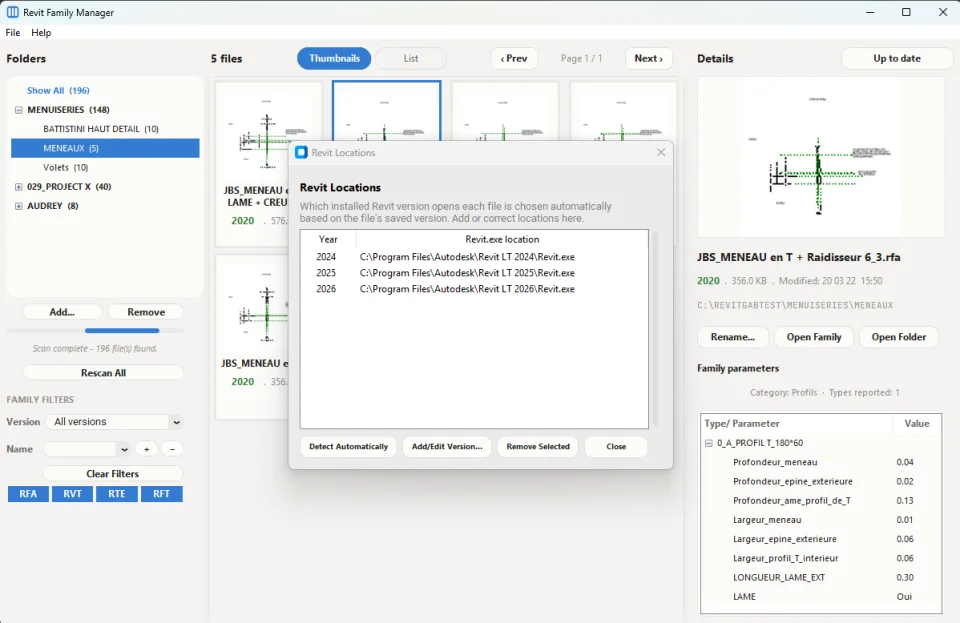
- Version-aware file opening — automatically launches the correct installed Revit version for each file, no more guessing or failed opens from version mismatches
- A folder tree with recursive filtering — click any folder to see everything inside it, subfolders included
- File-type filtering — toggle families, projects, and templates on or off independently
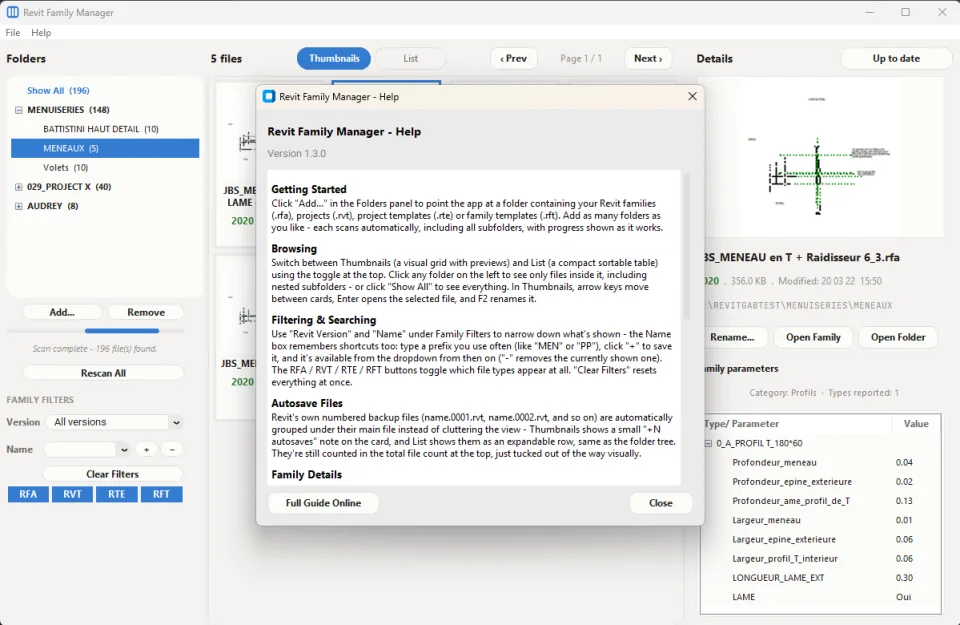
- Saved search shortcuts — save your own naming prefixes (like "MEN" or "PP") as one-click filters
- Automatic backup grouping — Revit's numbered autosave files are tucked neatly under their main file instead of cluttering your view
- Embedded parameter inspection — view a family's types and parameters without opening it in Revit
- In-app renaming, straight from the file browser, with full keyboard navigation
- Last-modified tracking, sortable, for spotting stale or recently-touched content
- Built-in update notifications, so you always know when a new version is available
No Revit installation required to browse — just point it at your folders and go. Runs standalone on 64-bit Windows.
In the meantime, if you have any thoughts, suggestions, or feedback on functionality, feel free to leave a comment below — we'd love to hear from you.
- v1.2.0 - RevitFamilyManager_v1.2.0.zip
- Since APP_VERSION = "1.1.0" was published:
- RTE/RFT support — project and family templates now scanned alongside families and projects
- Saved name-filter keywords — +/− buttons to save and remove reusable search shortcuts, persisted across restarts
- File-type toggle filters — independent RFA/RVT/RTE/RFT buttons to show/hide each type
- Last-modified tracking — shown in the details panel, sortable column in List view
- Autosave/backup grouping — Revit's numbered backup files now nest under their main file instead of cluttering the view
- Version-aware file opening — "Open Family" now launches the correct installed Revit version automatically, falling back to the closest newer version when an exact match isn't installed, with a new "Revit Locations" dialog for detected/manual installs
- Help content and privacy policy rewritten to cover everything above
- App icon redesigned, plus a genuine fix for taskbar-specific icon rendering
- A steady stream of UI refinement layered throughout — button sizing, spacing, fonts, bold-on-click states
- v1.1.0 - RevitFamilyManager_v1.1.0.zip
- Since APP_VERSION = "1.0.2" was published:
- Fixed the grid scrollbar — thumb previously always looked full-height regardless of how much content there was; now correctly shrinks to reflect actual content size
- Added keyboard navigation to the thumbnail grid — arrow keys move selection, Enter opens the family, F2 renames
- Widened the Type/Parameter column in the parameter table (at the expense of Value)
- Sidebar polish — status text styling/spacing, progress bar color, Rescan All button width
- Selection border thickness — explored a thicker blue border for selected cards, found it unreliable in Tk, fully reverted to the original flat style
- Caught two local divergences during a file comparison — an accidentally invisible (white-on-white) progress bar, and a reintroduced selection-highlighting bug — both corrected
- v1.0.2 - RevitFamilyManager_v1.0.2.zip
- v1.0.1 - RevitFamilyManager_v1.0.1.zip
- v1.0.0 - RevitFamilyManager_v1.0.0.zip
Privacy Policy — Revit Family Manager
- 1. What data this app collects
- Revit Family Manager does not collect, store, or transmit any personal data. All scanning of your Revit family files, thumbnail generation, and file management happens entirely on your own computer, and never leaves it. The only network activity the app performs is checking for software updates. This involves requesting a small file from our server to compare version numbers — the same kind of request made every time you visit any website. As a normal, incidental result of standard web hosting, your IP address and basic connection details may appear in our hosting provider's routine server access logs, exactly as they would from browsing to our page — this is not something the app or our website intentionally collects or acts upon. The app does not transmit your name, your files, your folder contents, or any other identifying information as part of this check. No account, login, or personal information is ever required. IP logging is not enabled on our download tracking.
- 2. Third parties
- We do not share data with third parties, because we do not collect any personal data to share. The only external service contacted is our own website's hosting infrastructure, solely for the update-check file described above. No analytics, advertising, or third-party tracking tools are included in the app.
- 3. Data retention and deletion
- Because we collect no personal data, there is none for us to retain or delete. Any incidental server access logs generated by standard web hosting are retained only per our hosting provider's normal log rotation, then purged automatically — we do not extract, review, or act on this data.
- All data the app itself creates — your list of added folders, saved name-filter shortcuts, configured Revit install locations, and cached preview thumbnails — is stored exclusively on your own computer, never on our servers, and never transmitted to us.
- 4. Revoking consent / requesting deletion
- Since no personal data is collected or stored by us, there is nothing to request deletion of. To remove all local data the app has created on your machine, delete the folder:
- C:\Users\<YourUsername>\.revit_family_manager
- This fully removes your saved folder list, name-filter shortcuts, configured Revit locations, and cached previews.
- For any questions about this policy, contact contact@architite.com.